
Connect GitHub
Connect GitHub to clone, publish, and sync shared projects. Local saves and history remain available without a GitHub connection.
Connect an account
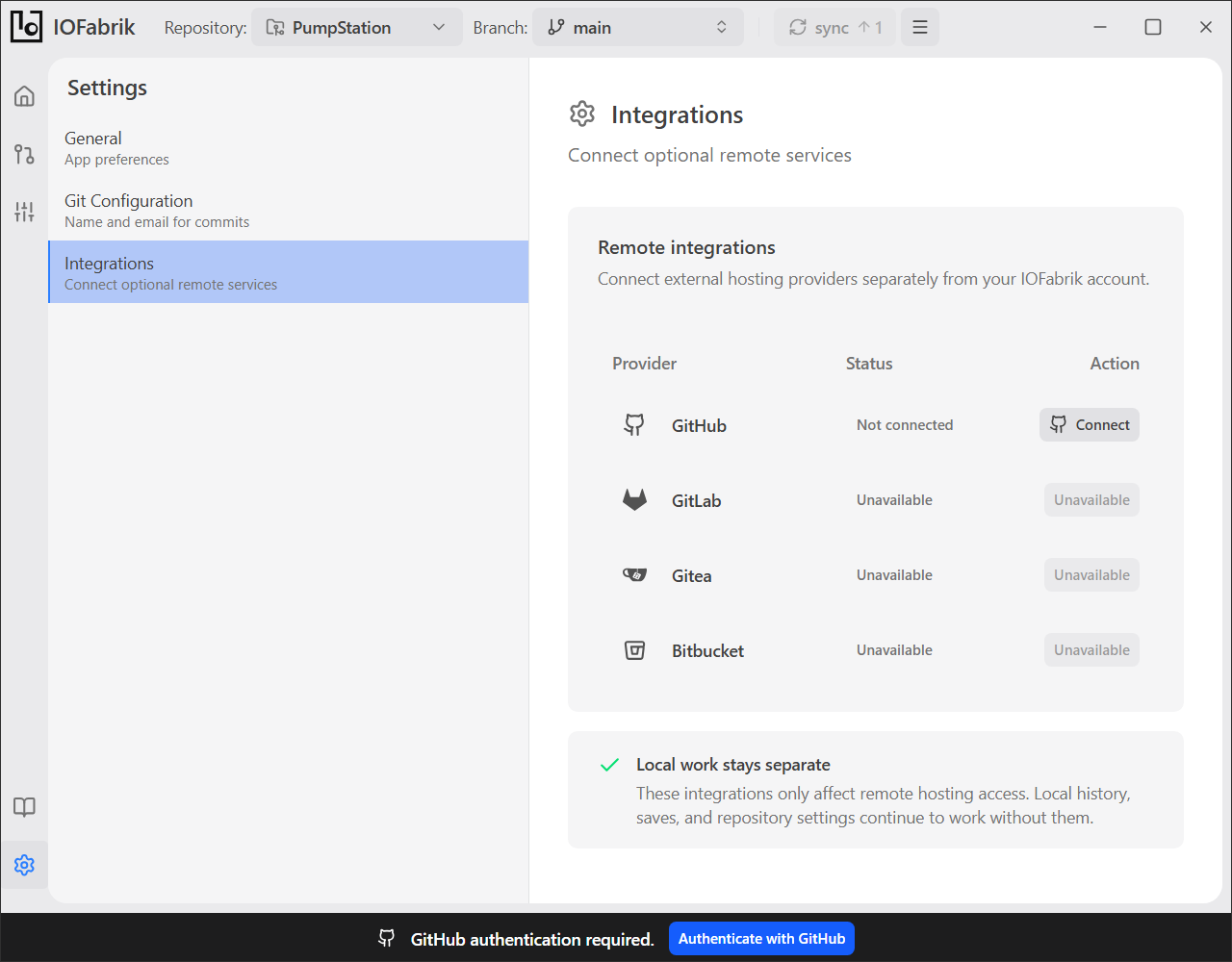
Section titled “Connect an account”- Click Settings in the left activity bar.
- Select Integrations.
- If the GitHub row shows GitHub CLI required, click Check supporting tools.
- In the GitHub row, click Connect.
- In Connect to GitHub, click Copy to copy the device code.
- Click Open GitHub.
- Sign in to the intended GitHub account in your browser.
- Enter the device code and complete GitHub’s authorization prompts.
- Return to IOFabrik and wait for the GitHub status to show Connected.
If the supporting-tool check fails, follow Restore missing supporting tools.
Change the account
Section titled “Change the account”Disconnecting removes the app’s GitHub CLI connection. Confirm that no remote operation is running before you change accounts.
- Open Settings, then Integrations.
- In the GitHub row, click Disconnect.
- Wait for Not connected.
- Click Connect.
- Authorize the intended GitHub account in your browser.
- Wait for Connected before you retry the remote operation.
For connection errors, follow Restore GitHub access.