
Fix a failed Sync
Use this guide when Sync ends with an error or cannot finish sharing your saved revisions.
Start with the failure in the app
Section titled “Start with the failure in the app”- Read the Sync result and expand its log details when available.
- Record the exact error before dismissing the result.
- Confirm the Repository and Branch in the top bar.
- Open Repository Settings → Remote Sync to check the remote connection.
- Open Repository Settings → Troubleshooting and select Check Again.
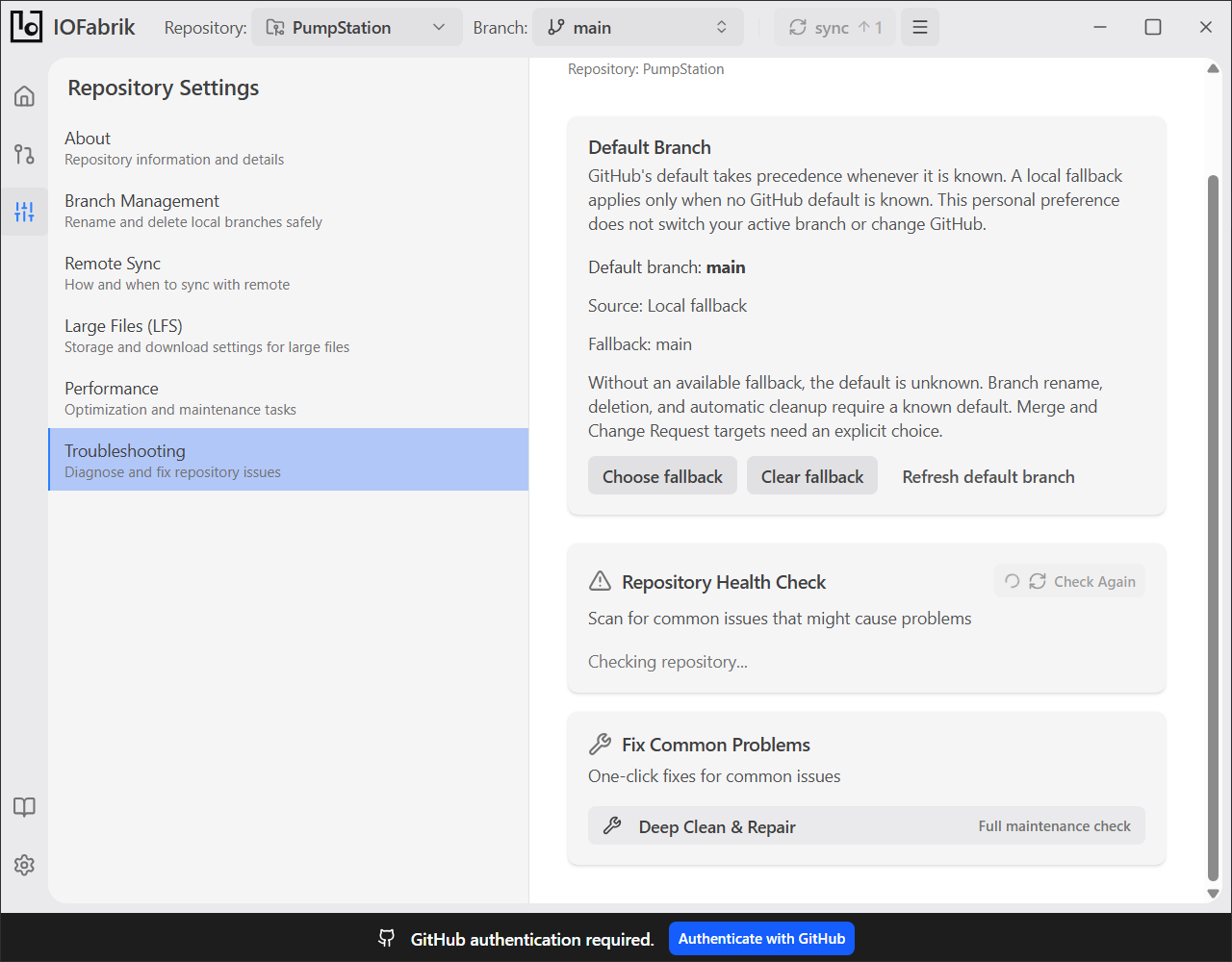
Use the matching recovery guide:
- For authentication or permission errors, restore GitHub access.
- For files that need conflict decisions, resolve merge conflicts.
- For an operation already in progress, recover a stuck operation.
- For an LFS transfer or missing large file, check large-file downloads.
Check the local branch without changing it
Section titled “Check the local branch without changing it”Open PowerShell. Replace the example path with the project folder shown in IOFabrik. The block adds the bundled Git and Git LFS directories to PATH for this session:
$repo = 'C:\Projects\PumpStation'$tools = Join-Path $env:LOCALAPPDATA 'IOFabrik\tools\bin'$git = Join-Path $tools 'git\cmd\git.exe'$lfs = Join-Path $tools 'lfs\git-lfs.exe'$env:PATH = (Split-Path $git) + ';' + (Split-Path $lfs) + ';' + $env:PATH& $git -C $repo status --short --branch& $git -C $repo branch -vv& $git -C $repo remote -vExpect the branch you selected in IOFabrik and the intended remote. ahead means you have local saved revisions to share. behind means the last recorded remote state contains revisions you have not received. Those counts reflect the last fetch.
If Git says the folder is not a repository, use the correct project folder. If the branch has no upstream, check the branch and remote settings before attempting to publish it.
Review remote URLs before sharing command output. A remote URL can contain private hostnames or embedded credentials.
Check the connection to GitHub
Section titled “Check the connection to GitHub”For a GitHub remote, check HTTPS connectivity:
Test-NetConnection github.com -Port 443Expect TcpTestSucceeded : True. A successful network check confirms connectivity, not repository access. Use the GitHub access checks to check permission.
If the connection fails, restore the network or VPN connection. On a managed network, ask your administrator to check its proxy and firewall policy. Retry after access is restored.
Verify the result
Section titled “Verify the result”Return to IOFabrik and select Sync once. Confirm that the operation completes and the incoming or outgoing count updates.
If Sync still fails, collect debug logs while reproducing one attempt. Keep the original project and its local revisions. Avoid force-pushing, resetting the branch, or replacing the project to bypass an unexplained error.