General settings
Settings is the gear icon near the bottom of the left activity bar. Its General category contains app preferences for your Windows account.
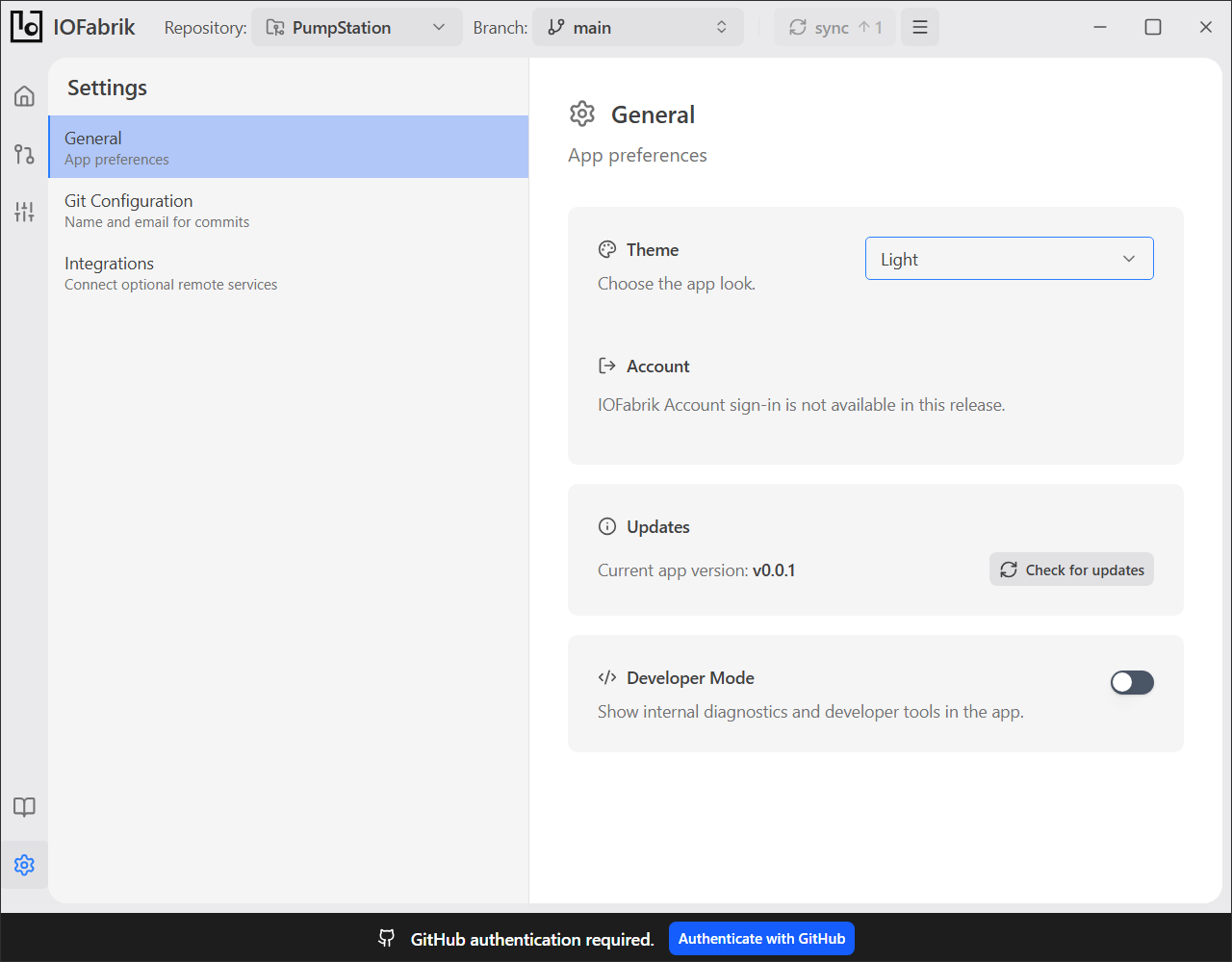
Light and Dark select a fixed appearance. System follows your Windows theme. The selection applies immediately.
The procedure is in Change the theme.
Account
Section titled “Account”Account describes the IOFabrik account session. IOFabrik account sign-in is unavailable in this build. GitHub access is separate under Integrations.
Updates
Section titled “Updates”Current app version identifies the installed build. Check for updates is available in Windows production builds.
The displayed version does not identify a source commit. See the documentation baseline when you use a supplied build from main.
Update instructions are in Install IOFabrik on Windows.
Developer mode
Section titled “Developer mode”Developer Mode reveals Debug Logs in the activity bar and the Data section on this page. It does not start a debug capture by itself.
Disabling Developer Mode during a capture displays Stop debug logging?. Stop logging and disable stops the capture and hides Debug Logs.
Capture instructions are in Collect debug logs.
Data appears only while Developer Mode is enabled. It lists the active paths for Config, Repo settings, Settings file, Logs, Cache, Tools, and WebView2.
On Windows, the current layout uses %LOCALAPPDATA%\IOFabrik. The paths shown in the app are the paths used by your running build.